
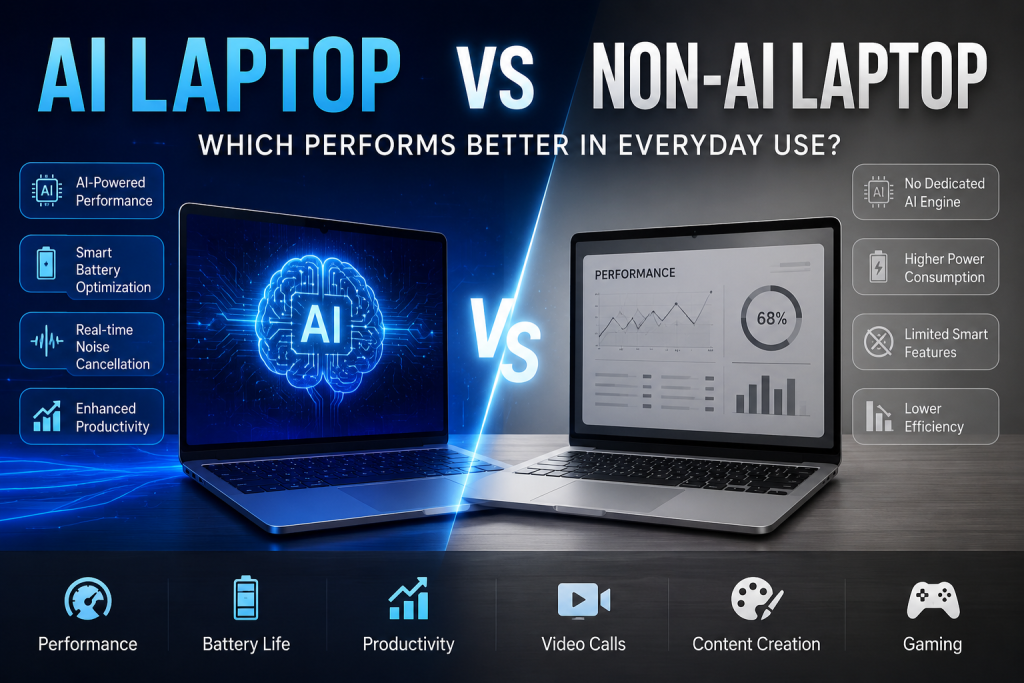
The rise of AI-powered laptops has transformed the way users think about performance, productivity, and efficiency. With brands introducing dedicated Neural Processing Units (NPUs) and AI-enhanced software experiences, many buyers are now asking a simple question: Do AI laptops actually perform better than traditional laptops in everyday use?
The answer depends on how you use your device. While conventional laptops still offer excellent performance for general tasks, AI laptops provide smarter features, improved efficiency, and better optimization for modern workflows.
What Is an AI Laptop?
An AI laptop is a computer equipped with hardware specifically designed to handle artificial intelligence workloads. In addition to the CPU and GPU, these devices include a dedicated NPU that processes AI-related tasks more efficiently while consuming less power.
Modern AI laptops from brands like HP, ASUS, Lenovo, Dell, Acer, MSI, Samsung, and Microsoft Surface support features such as real-time language translation, AI image generation, intelligent battery optimization, noise cancellation, and advanced productivity tools.
Traditional laptops, on the other hand, rely mainly on the CPU and GPU to perform all computing tasks without dedicated AI acceleration.
Everyday Performance Comparison
For basic activities like web browsing, video streaming, email management, and office applications, both AI and non-AI laptops deliver smooth experiences. Users who primarily work with documents, spreadsheets, or online meetings may not immediately notice a dramatic speed difference.
However, AI laptops begin to show clear advantages when multiple intelligent features run simultaneously. Background noise suppression during video calls, live transcription, AI assistants, and automated workflow tools operate more efficiently without heavily impacting overall system performance.
This means users can multitask more comfortably while maintaining better responsiveness.
Productivity and Office Work
Professionals increasingly rely on AI-powered software to improve productivity. Applications such as Microsoft Copilot, AI writing assistants, smart scheduling tools, and automated content generation platforms benefit significantly from dedicated AI hardware.
AI laptops can process many of these tasks locally, reducing dependency on cloud services and improving response times. Employees working in content creation, digital marketing, programming, data analysis, or remote collaboration often experience noticeable productivity gains.
Traditional laptops remain highly capable for standard office work but may consume more resources when running AI-driven applications alongside everyday workloads.
Video Conferencing Experience
One of the most practical advantages of AI laptops appears during virtual meetings.
AI-powered features commonly include:
- Automatic background blur
- Intelligent eye contact correction
- Real-time noise cancellation
- Live captions and translation
- Camera framing adjustments
These capabilities operate efficiently through dedicated AI engines rather than placing additional strain on the processor.
Non-AI laptops can still support some of these functions, but they generally rely more heavily on CPU resources, which may impact battery life and overall performance during extended meetings.
Content Creation and Creative Work
For creators working with photos, videos, and digital designs, AI laptops offer significant benefits.
Modern editing software increasingly incorporates AI tools for:
- Image enhancement
- Background removal
- Object selection
- Video upscaling
- Automatic color correction
- Smart content recommendations
Dedicated AI processing enables faster execution of these features while freeing the CPU and GPU for other demanding tasks.
Traditional laptops with powerful processors and graphics cards can still handle professional creative workloads exceptionally well. However, AI laptops often provide a more seamless experience when using next-generation creative applications.
Battery Life and Power Efficiency
Battery performance represents another important difference.
Because AI workloads run on specialized NPUs, AI laptops consume less power compared to traditional systems performing identical tasks through the CPU. Intelligent power management systems can also learn user behavior and optimize battery consumption accordingly.
Users who travel frequently or work remotely may appreciate the extended battery life offered by many modern AI-enabled devices.
That said, battery performance still depends on factors such as display size, processor generation, cooling systems, and overall hardware configuration.
Gaming Performance
When it comes to gaming, the presence of AI features alone does not guarantee better performance.
Gaming still relies primarily on the graphics card and processor capabilities. A high-end non-AI gaming laptop with a powerful GPU may outperform an entry-level AI laptop in demanding titles.
However, AI technologies are beginning to influence gaming through features like AI upscaling, frame generation, intelligent thermal management, and adaptive performance optimization. As game developers continue integrating AI capabilities, AI laptops may become increasingly advantageous for gamers in the future.
Future-Proofing Your Investment
One major reason buyers are considering AI laptops is future readiness.
Software companies are rapidly introducing AI-powered features into operating systems, productivity tools, creative applications, and business platforms. Devices equipped with dedicated AI hardware are better positioned to support these innovations over the coming years.
While traditional laptops remain excellent choices for many users, AI laptops provide additional flexibility for emerging technologies and evolving workflows.
Which One Should You Choose?
Choose an AI laptop if you:
- Use AI productivity tools regularly
- Attend frequent online meetings
- Create digital content
- Need better battery efficiency
- Want long-term future compatibility
- Prefer smarter and more automated computing experiences
Choose a non-AI laptop if you:
- Primarily browse the web and use office applications
- Want maximum value within a limited budget
- Focus mainly on gaming with dedicated graphics
- Do not currently rely on AI-powered software features
Final Thoughts
AI laptops are not merely a marketing trend—they represent the next stage of personal computing. For everyday users, the improvements may appear subtle at first, but professionals, creators, and power users can benefit significantly from AI acceleration, enhanced productivity tools, and improved energy efficiency.
Traditional laptops still deliver outstanding performance and remain a practical option for many buyers. However, as AI applications become more deeply integrated into daily workflows, AI-powered laptops are increasingly becoming the smarter long-term investment for modern users.