
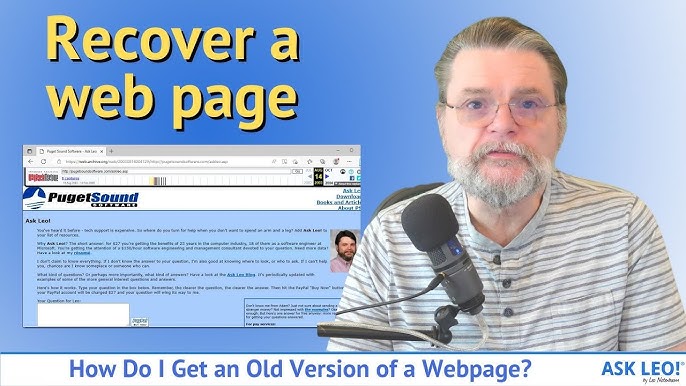

In the fast-paced digital world, websites are critical for businesses, bloggers, and organizations. However, over time, websites can become outdated, damaged, or even lost due to server crashes, hacking, or expired domains. Website restoration is the process of recovering a site to its former functionality and appearance, ensuring it continues to serve its purpose. Whether you want to restore old website content or recover files from backups, understanding the process is essential for any website owner.
Why Website Restoration Is Important
A website is often the first point of contact for customers and visitors. Losing content, images, or functionality can damage a brand’s reputation and result in lost traffic or revenue. Even sites that are temporarily offline can suffer from decreased search engine rankings and user trust.
Restoring a website helps preserve valuable content, protects your online presence, and maintains continuity for your audience. It is also a crucial step in digital preservation, ensuring that even older sites remain accessible and functional for future use.
Common Scenarios for Website Restoration
There are several reasons why website restoration may be necessary:
- Technical Failures: Server crashes, database corruption, or plugin conflicts can make a website inaccessible.
- Security Breaches: Hacking, malware, or ransomware attacks can compromise site integrity.
- Domain Issues: Expired or misconfigured domains may render a website offline.
- Outdated Design: Older sites may not be compatible with modern browsers or devices, prompting a need for restoration.
In many cases, restoration involves more than simply recovering files—it may include updating software, redesigning elements, or optimizing performance for modern devices.
Steps to Restore an Old Website
To restore old website content, follow these essential steps:
- Backup Assessment: Check if you have any backups stored on your server, cloud services, or local drives.
- File Recovery: Recover HTML, CSS, images, and database files.
- Platform Updates: Update the CMS, plugins, and themes to the latest versions to ensure compatibility.
- Testing: Verify that all page’s load correctly, links work, and interactive features function as expected.
- Security Review: Scan for malware, outdated scripts, or vulnerabilities before relaunching the site.
Proper documentation and systematic restoration reduce the risk of errors and ensure a smooth recovery process.
How to Restore an Archived Website
Sometimes, you may need to restore archived website content that is no longer available on the server. Archival sources like the Wayback Machine, old backups, or offline HTML copies can be invaluable for this purpose.
Restoring from archives typically involves:
- Downloading archived pages and assets.
- Rebuilding the site structure to match the original layout.
- Importing content into a modern CMS or web platform.
- Adjusting styles and scripts to work with current web standards.
Archived restoration is particularly useful for retrieving legacy content, legal records, or historical information that would otherwise be lost.
Tools and Services for Website Restoration
Several tools and services can simplify the restoration process:
- Web Hosting Support: Many hosts offer backup and restore services for their clients.
- Website Archiving Tools: The Wayback Machine or local HTML archives allow retrieval of previously published content.
- Professional Services: Web development agencies specializing in restoration can handle complex cases, especially after hacks or server failures.
Best Practices for Future Protection
After restoring your site, it’s crucial to implement preventive measures:
- Regularly back up your website and databases.
- Keep all software, plugins, and themes up to date.
- Use secure passwords and implement SSL certificates.
- Monitor website performance and security actively.
These steps reduce the risk of future data loss and minimize downtime.
Website restoration is more than just retrieving files about preserving your digital presence and maintaining access to valuable content. Whether you aim to restore old website data or recover from archives, careful planning, proper tools, and security measures ensure a successful restoration process. With the right approach, even a damaged or outdated site can be brought back to life, fully functional and ready to engage users once again.