
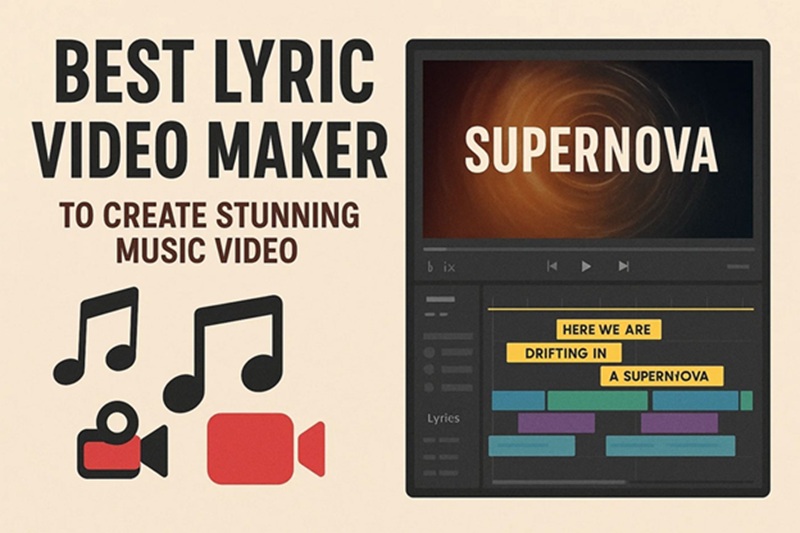

If you are a musician, podcaster, or content creator trying to grow your audience, you already know that great audio alone is not enough. Today’s fans want visual content, and lyric videos have become one of the most effective ways to share your music, build your brand, and drive engagement across platforms like YouTube, Instagram, and TikTok. The challenge is that professional video production can be expensive, time-consuming, and technically overwhelming for independent artists. Fortunately, a new wave of online services now makes it easier than ever to create polished lyric videos with branded templates, without needing a film degree or a design budget. This article walks you through what to look for in a lyric video maker, how to use branded templates effectively, and practical tips to help your content stand out.
Why Lyric Videos Matter for Musicians and Creators
Lyric videos serve a dual purpose: they make your music more accessible to listeners who want to follow along with the words, and they give you a shareable piece of visual content that works across every major platform. A well-designed lyric video can rack up views on YouTube, perform as a reel on Instagram, and function as a teaser clip on TikTok, all from a single production effort.
Beyond reach, lyric videos reinforce your brand identity. When your color palette, typography, and logo are consistent from song to song, fans start to recognize your aesthetic before they even hear a note. That kind of visual consistency builds trust and loyalty, which translates directly into streams, ticket sales, and merchandise revenue.
For independent artists especially, lyric videos level the playing field. A polished branded video signals professionalism to playlist curators, music blogs, and potential collaborators. You do not need a label or a production house behind you to look like you do.
What to Look for in an Online Lyric Video Maker
Not all lyric video tools are created equal. Before you commit to a platform, there are several features worth evaluating carefully.
Template Variety and Branding Flexibility
A good lyric video maker should offer a wide range of starting templates that you can customize to match your brand. Look for platforms that let you upload your own fonts, adjust color schemes, swap out backgrounds, and add a logo watermark. The ability to save your brand settings and reuse them across multiple videos is a significant time-saver.
Text Animation Options
The way your lyrics appear on screen is the heart of the lyric video experience. Look for tools that support animated text, word-by-word highlighting, fade-ins, scrolling lyrics, and kinetic typography. Static text blocks get the job done, but animated captions create a much more engaging viewer experience.
Audio Sync Capabilities
Some tools let you upload your audio file and manually or automatically sync your lyrics to the beat. This feature is invaluable for artists who want their lyric videos to feel interactive and professional, rather than just a slideshow with words over it.
Export Quality and Format Options
Make sure the platform supports high-definition exports, ideally 1080p or higher, and that it can output in formats optimized for different platforms. Square formats work well for Instagram, vertical formats for TikTok and Reels, and widescreen 16:9 formats for YouTube.
Top Tips for Creating Standout Lyric Videos with Branded Templates
Plan Your Brand Identity Before You Design
Before you open any design tool, take time to define the visual identity you want to carry through your videos. Choose two to three core colors that represent your music and personality. Select one primary font and one complementary font. Decide whether your aesthetic leans cinematic, minimalist, retro, or bold. Having these decisions made in advance means every lyric video you create will feel cohesive, even when you experiment with different layouts or backgrounds.
Once your brand guide is established, look for a platform that lets you save these settings as a reusable theme or template. This way, you are not starting from scratch every single time you release a new track.
Use Adobe Express to Build Professional Lyric Videos
One of the most accessible and feature-rich tools available today is the lyric video maker from Adobe Express. This browser-based platform is designed with creators of all skill levels in mind, offering a library of customizable templates that can be adapted to fit your brand aesthetic. You can animate your lyrics, adjust timing, incorporate your own visuals, and export content formatted for the platform of your choice, all within a clean and intuitive interface.
What sets Adobe Express apart is the depth of its creative ecosystem. Because it is built on Adobe’s design infrastructure, you have access to a vast library of fonts, stock images, and design assets, many of which are included without an additional cost. It is a particularly strong option for artists who want professional results without the learning curve of full video editing software.
Match Your Visual Style to Your Music Genre
The design choices you make in your lyric video should reinforce the mood of the music itself. A lo-fi hip-hop track calls for muted tones, grainy textures, and soft animations. A pop anthem might work better with bright colors, bold typography, and kinetic text effects. A folk ballad could feel most authentic with natural imagery, earthy palettes, and simple, elegant typefaces.
Genre-aligned design is not just an aesthetic preference. It signals to viewers and playlist curators what kind of artist you are. Consistency between what your music sounds like and what your videos look like builds a stronger, more memorable brand.
Keep Text Readable at All Screen Sizes
One of the most common mistakes creators make with lyric videos is using fonts or layouts that look great on a desktop but become unreadable on a phone screen. Since the majority of social media consumption happens on mobile, readability should be your top priority when choosing font sizes and weights.
Use bold or semi-bold font weights for lyrics, ensure there is strong contrast between your text and background, and avoid placing text near the edges of the frame. If you are using a moving background or video footage, add a semi-transparent text overlay or a subtle shadow to make your words pop at all times.
Use Animated Backgrounds Strategically
Animated or looping video backgrounds can add a lot of visual depth to a lyric video without overwhelming the text. Abstract motion graphics, particle effects, and slow-zoom landscape footage all work well as backdrops. The key is subtlety. Your background should complement your lyrics, not compete with them.
When working with templates, look for options that include built-in motion backgrounds or that allow you to upload your own video footage. Many online tools offer royalty-free motion graphics libraries that you can access directly within the editor.
Add Your Watermark or Logo in Every Video
Brand recognition is built through repetition. Every lyric video you publish should include your artist name, logo, or both, placed in a corner of the frame where it is visible but not distracting. Over time, viewers will associate your visual identity with your music, making it easier for them to find and follow your work.
Most online lyric video tools allow you to add a logo overlay as a PNG with a transparent background. Create a few versions of your watermark at different opacities so you can choose the right level of visibility depending on your background.
Repurpose One Song Into Multiple Video Formats
A single lyric video does not have to be a single piece of content. Once you have created your primary widescreen version for YouTube, use the same template and assets to cut a vertical version for TikTok and Instagram Reels, a square version for Instagram feed posts, and a short teaser clip highlighting your catchiest lyric for stories.
This approach maximizes the return on the time you invest in each video. Many online tools make format conversion easy by offering one-click resizing that automatically adjusts your layout for different aspect ratios.
Incorporate Subtle Brand Storytelling
Your lyric video is an opportunity to tell a story beyond just the words to your song. Consider weaving in visual motifs that connect to your album artwork, upcoming tour dates, or the narrative behind the track. Even something as simple as using the same color gradient from your album cover as your video background creates a sense of intentionality and artistic cohesion.
The most memorable lyric videos are not just karaoke screens. They are extensions of the artist’s creative vision. Think of your template as a canvas and your branding choices as the brushstrokes that make your work uniquely yours.
Test Your Video Before Publishing
Before you export and post, always preview your lyric video at full resolution and on multiple devices if possible. Check that your text does not get cut off on any platform, that your audio sync is accurate throughout, and that the export file size is manageable for the platforms you are targeting.
Pay particular attention to the thumbnail or first frame of your video. On YouTube and social platforms, this is the first thing potential viewers see. Choose a frame that includes your artist name or a visually strong moment from the video to maximize click-through rates.
Batch Create Videos for Your Entire Release Cycle
If you are planning a full album or EP release, consider designing all of your lyric videos in one session using a consistent set of branded templates. Batch creation allows you to maintain visual consistency across your release campaign and saves a significant amount of time compared to designing each video individually.
Set aside a dedicated block of time before your release date to produce all the lyric content you need. Then schedule your posts in advance using a social media management tool. This strategy keeps your feed active and your brand front-of-mind for fans throughout the entire campaign.
FAQ
What makes a lyric video look professional?
A professional lyric video comes down to three things: consistent branding, readable typography, and smooth animation. Viewers can immediately tell the difference between a video that was thoughtfully designed and one that was thrown together. Using high-contrast text, a cohesive color palette, and well-timed animations signals that you take your craft seriously. It also helps to work with a template that is designed specifically for lyric video use, rather than repurposing a general presentation template. Tools like Adobe Express offer lyric-specific layouts that are already optimized for readability and motion, which gives you a strong starting point even if you have no prior design experience.
Do I need to own the rights to my music to create a lyric video?
Yes, you should always ensure you have the proper rights to use any music in a lyric video you intend to publish publicly. For original artists and independent musicians, this is rarely an issue since you own your recordings and compositions. However, if you are a content creator covering someone else’s song or using licensed music in your videos, you need to verify that your license allows for synchronized use, which is the term for pairing music with video content. Licensing tools or services such as Songtrust can help artists manage their music rights and publishing agreements if this is a concern. Always review the terms of any music license before publishing.
What is the best video format for publishing lyric videos on social media?
The ideal format depends on the platform. For YouTube, a 1920×1080 MP4 file at 24 or 30 frames per second is the standard. For Instagram Reels and TikTok, a 1080×1920 vertical format performs best. For Instagram feed posts, a 1080×1080 square is ideal. Most modern lyric video tools allow you to export in multiple aspect ratios, so you can create one video and adapt it for every platform without starting over. It is also worth noting that H.264 video compression is broadly supported across all platforms and delivers a good balance of quality and file size for social media uploads.
How long should a lyric video be?
The ideal length of a lyric video depends on its purpose and the platform it is being published on. Full-length lyric videos for YouTube should match the runtime of the song, typically anywhere from two to five minutes. For social media platforms that favor shorter content, it is worth creating a 30 to 60 second clip featuring the chorus or most memorable lyric. Short-form lyric clips tend to perform better in terms of engagement and completion rates on TikTok and Instagram, so think strategically about which part of your song you want to feature in your short-form content. Some artists publish a short teaser clip on social media first, then direct followers to the full lyric video on YouTube.
Can I use a lyric video maker if I have no design experience?
Absolutely. The best online lyric video makers are specifically designed for people who are not professional designers. They offer drag-and-drop editing, pre-built animation templates, and intuitive text placement tools that make the process accessible to beginners. The key is starting with a well-designed template rather than a blank canvas, which removes most of the guesswork around layout and typography. As you become more comfortable with the tools, you can start customizing more deeply and experimenting with advanced features. For artists who want to learn more about visual storytelling and content creation, resources like Coursera’s music marketing courses offer practical guidance that pairs well with hands-on practice in a lyric video tool.
Conclusion
Creating lyric videos with branded templates is one of the most practical and cost-effective things a musician or content creator can do to grow their audience and solidify their visual identity. The right online tool makes it possible to produce high-quality, platform-ready content without professional design skills or a production budget. By focusing on consistent branding, readable typography, and smart content repurposing, you can turn every song into a multi-platform content campaign that works for you long after its release date.
Whether you are an independent artist putting out your first single or an established creator looking to streamline your content workflow, the strategies and tools covered in this article give you everything you need to get started. Pick a platform that fits your workflow, build out your brand template, and start putting your music in front of the audiences who are waiting to hear it.